GPS Tracking System: Complete Guide for Vehicles, Fleets and Construction Sites
A practical guide to GPS tracking for vehicles, commercial fleets, construction equipment, and multi-site operations in India.
Best for
Fleets, machines and project sites
Use GPS tracking when teams need live location, route history, stoppage checks, and site-wise visibility.
Key outputs
Routes, alerts and daily reports
Turn vehicle movement into geofence events, engine-hour data, utilization reports, and billing support.
Decision point
Choose the workflow, not only the device
Hardware matters, but support, reporting, and multi-site operations decide long-term value.
GPS tracking helps teams know where vehicles, machines, and field assets are, how they moved, where they stopped, and whether their activity matches the work recorded on site.
For a single vehicle, GPS tracking may look like a dot on a map. For a commercial fleet, it becomes an operating system for live location, route history, geofencing, alerts, reports, engine-hour visibility, and daily accountability.
This guide explains what GPS tracking is, how GPS tracking systems work, how they differ from GPS trackers and vehicle tracking software, and what companies should check before choosing a solution for fleets, construction equipment, logistics operations, and project sites in India.
What Is GPS Tracking?
GPS tracking is the process of using satellite location data to monitor the position and movement of a vehicle, machine, person, or asset. In business operations, GPS tracking usually means a device is installed on a vehicle or equipment, and the data is shown inside a software platform.
A basic GPS tracking setup answers simple questions such as where the asset is and where it travelled. A complete GPS tracking system goes further. It helps teams review live location, route history, stoppage time, geofence entry and exit, alerts, reports, engine status, and utilization.
For companies, the goal is not only to see movement on a map. The goal is to reduce phone calls, improve dispatch decisions, verify field activity, protect assets, and keep one reliable record for operations, accounts, project teams, and management.
How GPS Tracking Works
A GPS tracking system works through three connected layers: satellite positioning, onboard hardware, and cloud software.
- Satellite positioning: The device receives signals from GPS satellites and calculates its location.
- Tracking hardware: The device collects location, ignition, movement, and other available vehicle data.
- Connectivity: A SIM or network connection sends the data to the software platform.
- Software and reports: The platform converts raw data into live maps, trip history, route reports, alerts, geofences, dashboards, and exports.
When network coverage is weak, many industrial GPS devices can store data locally and upload it when connectivity returns. This is important for remote construction sites, mines, highways, wind farms, and infrastructure corridors where network quality can change through the day.
GPS Tracking vs GPS Tracker vs Vehicle Tracking vs Fleet Tracking
These terms are often used together, but they do not mean the same thing. Understanding the difference helps teams choose the right solution instead of buying only a device and expecting a full operating workflow.
| Term | Meaning | Best Use |
|---|---|---|
| GPS tracking | The technology and process of monitoring location and movement using GPS data. | Broad location visibility for vehicles, people, machines, and assets. |
| GPS tracker | The physical device installed in or attached to the asset. | Collecting location, movement, ignition, and event data. |
| Vehicle tracking | GPS tracking applied to cars, trucks, buses, tippers, trailers, service vehicles, and site vehicles. | Route history, live vehicle location, driver follow-up, and trip records. |
| Fleet tracking | Tracking multiple vehicles or machines together with reports, alerts, utilization, and management views. | Commercial fleets, logistics, construction, EPC, mining, and multi-site operations. |
A GPS tracker is only one part of the setup. A GPS tracking system includes the device, installation quality, software, geofencing, alerts, reporting, support, and the daily process used by the team.
Types of GPS Tracking Systems
The right GPS tracking system depends on the asset category, wiring access, reporting requirement, and operating environment.
| Type | How It Works | Best Fit |
|---|---|---|
| Wired GPS device | Connected to vehicle or equipment power and installed inside the asset. | Commercial vehicles, tippers, cranes, trailers, heavy machines, and long-term fleet tracking. |
| OBD GPS device | Connects directly to an OBD-II port where supported. | Cars, light utility vehicles, and project office vehicles where quick installation is needed. |
| Battery GPS tracker | Uses internal battery power and may be attached without wiring. | Portable assets, temporary tracking, or assets where wiring is not practical. |
| Telematics GPS device | Combines GPS with inputs such as ignition, engine data, sensors, or add-on integrations. | Fleet operations that need engine hours, utilization, fuel monitoring, alerts, and operational reports. |
For construction equipment and infrastructure fleets, wired or telematics-grade devices are usually more reliable because teams need continuous reporting, stable power, and support for engine-hour or sensor integrations.
Core Features of a GPS Tracking System
A complete GPS tracking system should help teams move from location visibility to operational control. These are the core features companies should expect:
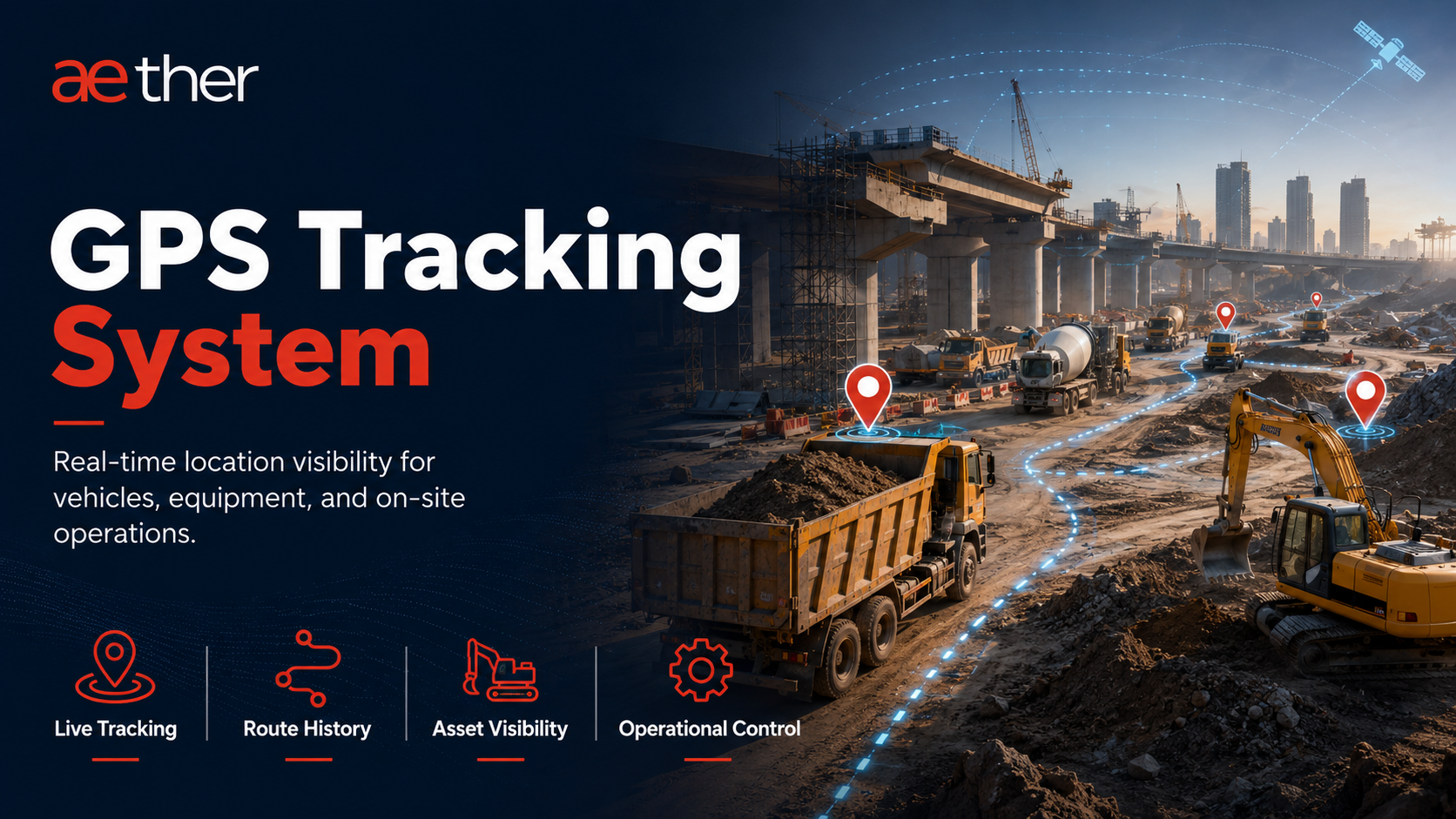
- Live location: View every vehicle or machine on a map with current status and last reporting time.
- Route history: Review where the asset travelled, stopped, and returned during a selected time window.
- Geofencing: Create virtual zones around yards, work areas, routes, depots, gates, and restricted locations.
- Alerts: Receive useful events for zone entry/exit, stoppages, not-reporting devices, unauthorized use, and route deviations.
- Reports: Export daily or shift-wise records for trips, distance, idle time, engine hours, and zone activity.
- Engine and ignition data: Check whether the asset was actually running during claimed work hours.
- Multi-site visibility: Compare assets across projects, depots, plants, yards, or regional operations.
GPS Tracking in India for Commercial Fleets
GPS tracking in India is used across logistics, construction, infrastructure, school transport, oil and gas, waste management, and field service operations. The needs are different for each industry, but the business problem is similar: teams need reliable visibility without depending only on phone calls and manual updates.
For commercial fleets, GPS tracking helps with route discipline, driver follow-up, asset safety, utilization, customer updates, and exception reporting. For project and construction fleets, it also supports zone-level accountability, engine-hour verification, idle-time review, and billing checks.
| Tracking Category | Primary Focus | Typical Users |
|---|---|---|
| Vehicle tracking | Location, trips, route history, stoppages, and vehicle status. | Transport teams, logistics fleets, site vehicles, service teams. |
| Fleet tracking | Fleet-wide visibility, alerts, utilization, reports, and management dashboards. | Fleet managers, operations heads, logistics managers, project teams. |
| Asset tracking | Movement, presence, custody, and location history of mobile or high-value assets. | Construction, oil and gas, yards, industrial projects, equipment teams. |
How to Choose a GPS Tracking System
Choosing a GPS tracking system only by device price is risky. A low-cost GPS tracker may show a location point, but commercial teams usually need reliable installation, stable reporting, useful dashboards, field support, and reports that help them take action.
Before selecting a provider, check whether the system supports your real workflow: live map, route history, geofencing, alerts, engine-hour data, reports, not-reporting follow-up, multi-site access, and future add-ons such as fuel monitoring or workforce tracking.
For teams comparing options, the practical test is simple: can the system help you make a decision at the start of the day, during a dispute, or before approving a bill?
Need GPS tracking for your fleet?
See how Aether connects live location, route history, geofencing, alerts, and reports for commercial vehicles and construction equipment.
GPS Tracking for Construction and Industrial Sites
A GPS tracking system is not only a location tool.
For construction, EPC, logistics, wind, rail, highway, metro, mining, and industrial project sites, GPS tracking has a much bigger role. It helps teams know where assets are, which vehicles and machines are working, which ones are idle, whether equipment is being used properly, and whether site records match actual movement and engine activity.
On large project sites, this visibility is usually missing.
A crane may be at site all day, but without engine-hour data, there is no way to know how much it actually ran and how much it sat idle. A trailer may make a return trip without load while another part of the same site needs material moved. A local vehicle operator may claim extra kilometres or hours. The site team may start the morning with a round of phone calls just to find out where each vehicle and machine is — before deployment or inspection can even begin.
This is where a GPS tracking system becomes useful for site control, not just location tracking.
Construction and infrastructure projects involve multiple vehicles, machines, operators, vendors, and work zones operating across the site.
As projects become larger, managing day-to-day operations manually becomes difficult. Site teams depend on phone calls, operator updates, and manual logsheets to understand where equipment is working, how long it operated, and whether it is being properly used.
Locating assets takes time. Finding a specific vehicle, machine, or heavy equipment may require multiple calls before the exact location is confirmed. During urgent deployment or inspection, even small delays can affect operations on the ground.
Verifying actual equipment activity is more difficult. A vehicle or machine may be marked as working at site, but the project team may still not be able to clearly confirm what actually happened.
The operator may say the machine worked for the full shift.
The manual logsheet may show running hours.
The vendor bill may claim kilometres or working hours.
But the site team still needs a reliable record to check:
- Where the asset actually operated
- How long the equipment was in real operation
- How much time it remained idle
- Whether it stayed inside the assigned work zone
- Whether the engine actually operated during reported working hours
- Whether the billed kilometres or engine hours match actual usage
Idle equipment, billing disputes, and logistics gaps add to this. A machine may remain idle in one zone while another zone raises a fresh requirement. Without clear visibility, teams may arrange additional equipment even when an existing asset could have been redeployed for the same work. Vendors may bill based on reported kilometres or engine hours without a clear system record for verification. Trailers returning from one work area may come back without load while another zone needs material movement.
As the project scale increases, gaps in asset location, engine-hour tracking, idle-time visibility, billing records, and zone movement start affecting utilization, deployment planning, billing verification, and day-to-day coordination across the site.
A GPS tracking system reduces dependency on manual updates and operator reporting. It gives project teams visibility into asset location, movement history, engine activity, idle time, zone entry and exit, and equipment utilization across the site.
A proper GPS tracking system helps answer:
- Where is each asset right now?
- Which assets worked today, and which remained idle?
- Which vehicles or machines entered or exited a project zone?
- Which equipment operated outside the assigned work area?
- Are billed kilometres and engine hours matching actual activity?
- Which assets can be redeployed before approving new requirements?
- Which vendors are using assigned assets properly?
- Which zones need more resources, and which already have idle assets?
For EPC, construction, mining, wind, rail, metro, logistics, and infrastructure projects, GPS tracking is no longer used only for vehicle visibility. It helps improve utilization, coordination, planning, billing checks, and daily site decisions.
What Construction Teams Need from a GPS Tracking System
A GPS tracking system monitors the location, movement, and usage of vehicles and equipment through a tracking device connected to the asset and a software portal where the data can be monitored.
In its basic form, the system shows vehicle location. But for EPC, construction, and infrastructure operations, location alone is usually not enough.
A basic GPS tracking system can show that a crane is at site, but it may not show whether the crane is inside the assigned work zone. Similarly, a vehicle may remain at one location for several hours without clearly showing whether the engine was running or whether the logsheet entry matches actual machine activity.
A useful GPS tracking system should also help teams monitor:
- Engine ON and OFF activity
- Engine running hours and idle time
- Entry and exit from work zones
- Route history and movement across the site
On construction and industrial sites, a vehicle being "at site" does not confirm whether it is actually working. Equipment may remain inside one work zone for hours or even days. For many heavy machines, engine hours matter more than kilometres travelled.
Site teams often need to know how long the equipment actually operated, how much time it remained idle, whether it stayed inside the assigned work zone, and whether the reported activity matches actual utilization.
This is why construction and industrial operations need GPS tracking to do more than show basic location.
What a Construction and Industrial GPS Tracking System Should Do
1. Live location of all vehicles and equipment
Every site asset, including vehicles, machines, and heavy equipment, should be visible on a single live map. Site managers should be able to view the full fleet and filter assets by equipment category.
2. Engine hours and ignition events
For each vehicle or machine, the system should record ignition ON and OFF events with timestamp and location — and show kilometres travelled, total engine hours, actual working hours, and idle hours during the shift.
3. Route and movement history
For any vehicle or machine, the team should be able to review the movement history for any selected day. This helps verify route taken, distance covered, stoppage time, and movement between work zones.
4. Geofencing and zone-wise activity
Every important zone on the project site — active work areas, material storage yards, equipment parking areas, site entry and exit points, and restricted areas — should have a geofence around it. The system should automatically record when a vehicle or machine enters a zone, when it exits, how long it stays there, and what engine activity happened inside that zone.
5. Digital logsheet verification
The digital logsheet should compare manual entries such as HMR, KMR, and working hours with system-recorded machine data. This helps teams verify how many kilometres the asset travelled, how many hours the engine operated, how much time it stayed idle, and whether the reported usage matches actual machine operation.
6. Daily summary reports
The system should provide shift-wise or daily summary reports covering asset movement, idle time, zone-wise activity, asset utilization, and reporting status. This helps site teams review the previous shift or start the daily review with clear data instead of depending on repeated phone calls and manual updates.
7. Visibility across multiple project sites
For project teams managing more than one site, the system should give management a single view of asset deployment, utilization, and idle hours across all sites. This helps identify which site has idle assets that can be redeployed, which site needs more resources, and where utilization is lowest.
How Aether Helps with GPS Tracking for Construction and Infrastructure Sites
Aether's GPS tracking system is built for construction, EPC, infrastructure, logistics, wind, rail, metro, mining, and industrial project sites where vehicles, machines, and heavy equipment need to be tracked and monitored across site operations.
The purpose is not only to show vehicle location on a map. Aether helps site teams track asset movement, engine activity, zone-wise movement, idle time, manual logsheet verification, and device reporting status in one platform.
This gives P&M, logistics, safety, accounts, and project teams one common record for daily reviews and site-level decisions.
1. Live Asset Tracking on One Map
Aether gives site teams a live map view of all tracked site assets, including vehicles, machines, and heavy equipment.
Teams can check where each asset is, whether it is moving or stopped, and when it last reported data. This reduces repeated phone calls to operators and supervisors just to locate equipment.
For large project sites, this is useful because assets are often spread across work zones, storage yards, parking areas, access roads, and site offices. Aether helps the team see asset location and status from one place instead of depending only on manual updates.
2. Engine Hours and Operation Data
The system records engine ON and OFF events with timestamp and location.
For each vehicle or machine, it shows kilometres travelled, total engine hours, actual working hours, and idle hours during the shift.
This helps site teams verify how long the equipment actually worked and how much time it stayed idle. For construction equipment, this is important because many machines can work for long hours without covering much distance, so location or kilometres alone do not show actual usage.
3. Route and Movement History
For any vehicle or machine, the system lets the team review movement history for any selected day.
It shows the route taken, distance covered, stoppage time, and movement between work zones.
This helps site teams check where the asset moved, where it stopped, and whether the recorded movement matches the actual site requirement.
4. Geofencing for Zone-Level Visibility
The system can create geofences around important areas of the project site, such as active work areas, material storage yards, equipment parking areas, site entry and exit points, and restricted areas.
Once these geofences are created, the system records when a vehicle or machine enters an area, when it exits, how long it stays there, and what engine activity is recorded during that time.
This helps site teams understand whether an asset was only present in the assigned area or actually operating there.
The logic is simple:
Zone = Work Location
Zone = Team Responsibility
Zone Activity = Team Performance
For example, if a machine stays inside a work area for several hours but shows very low engine activity, the team can review whether it was parked, waiting, or underused.
If a vehicle or machine enters an area where it was not assigned, that movement can be checked. If a vendor claims work in a specific zone, the team can verify whether the asset was actually present there, how long it stayed, and whether the engine was running.
This turns geofencing from a simple boundary alert into a practical tool for checking zone activity and asset usage.
5. Digital Logsheet Verification
The digital logsheet compares manual entries with system-recorded machine data.
Manual logsheets usually contain HMR, KMR, working hours, shift details, and in some cases idle time. These entries are used for billing, maintenance planning, vendor review, and productivity checks.
The system compares these entries with actual data such as kilometres travelled, engine running hours, idle hours, and actual engine operation hours.
This helps the team check whether the reported usage matches actual machine operation.
If the logsheet shows higher working hours than the system-recorded engine activity, the mismatch can be reviewed. If a vendor claims kilometres that are not visible in the system, the accounts or site team can check the record before approval.
This makes logsheet review more reliable and reduces dependency on self-reported entries.
6. Daily Digest for Site Teams
The Daily Digest gives site teams a clear summary of the previous shift before the morning review starts.
It shows total resources, how many assets are reporting, how many are not reporting, active and idle assets, category-wise utilization, zone-wise activity, vehicles outside assigned geofences, and movement between zones.
This helps site teams start the day with clear data instead of repeated phone calls and manual follow-ups.
For P&M, logistics, safety, and project teams, the Daily Digest helps answer practical site questions:
- How many assets reported data during the shift?
- How many assets were not reporting?
- Which assets were active or idle?
- Which zones had activity?
- Which vehicles moved outside assigned areas?
- Which assets or zones need follow-up?
This makes the Daily Digest a daily operating report for site teams, not just another dashboard export.
7. Reports for Site Reviews and Follow-Up
The GPS tracking reports support daily and periodic site reviews.
Teams can use the same report data to check asset usage, idle time, zone activity, not-reporting devices, and digital logsheet mismatches.
This keeps site reviews and follow-up based on one system record instead of separate manual updates, operator statements, or different department files.
8. BI (Business Intelligence) Monitoring and Post-Installation Support
Aether does not only collect GPS data. The BI team actively monitors what the data shows and follows up where action is needed.
This covers two areas.
Device monitoring. When a device stops sending data, the site team loses visibility of that asset. A device may go offline because of network issues, loose wiring, power disconnection, device disconnection, or manual tampering by the operator to avoid monitoring.
Aether's BI team actively monitors device reporting status. When any asset stops reporting, the team identifies it, checks the last known location and reporting time, and updates the site team by email.
If a field visit is needed, Aether coordinates with a service engineer to visit the site and resolve the issue — so GPS reporting resumes for that asset and the team does not have a gap in asset visibility.
This means not-reporting is not just identified. It is followed up and fixed.
Data review. On construction sites, data is often questioned. An operator may say the device was not working. The manual logsheet may show different kilometres or engine hours from the system data.
Aether's BI team reviews unusual engine-hour patterns, long idle time, zone movement, and logsheet mismatches before they are shared with the site team — so site teams get verified findings, not just raw alerts.
The purpose of both is the same: to give site teams clearer information for reviews, vendor discussions, and billing checks, instead of only raw alerts or incomplete data.
Aether's GPS Tracking Value
Aether helps site teams move from manual follow-ups to verified site data.
Instead of only asking, "Where is the vehicle?", the system helps teams check asset location, zone movement, engine activity, idle time, whether manual logsheet entries match system-recorded kilometres and engine hours, vendor billing data, and assets that need follow-up.
This is what makes GPS tracking useful for construction and infrastructure sites: it gives teams a clear record of what happened on the ground, without depending only on phone calls, manual updates, or operator statements.
Common Mistakes When Choosing a GPS Tracking System
| Mistake | What to Check |
|---|---|
| Choosing only based on device price | A low-cost GPS device may show location on a map, but site teams need more than that. Before choosing a system, companies should check whether it provides useful reports for engine hours, idle time, route history, geofencing, not-reporting devices, and logsheet verification. |
| Using geofencing only as a boundary alert | Geofencing should not be limited to alerts when a vehicle enters or exits an area. On construction, infrastructure, and logistics operations, it should help teams check zone activity, asset presence, engine activity inside the zone, and movement between assigned areas. |
| Choosing a system that does not match your operation | A city delivery fleet, a long-route transport fleet, and a construction site fleet do not work the same way. Transport teams need route history, trip movement, stoppage time, and distance reports. Construction and infrastructure teams also need engine hours, idle time, zone activity, and digital logsheet verification. |
| Ignoring engine hours | For heavy machines, kilometres alone do not show actual usage. A machine may work for hours without moving much. A GPS tracking system should show engine running hours, actual working hours, and idle hours so teams can verify usage properly. |
| Not checking report usability | A dashboard is useful, but site teams need reports they can use in daily reviews. The system should provide clear reports for asset location, route history, geofence activity, engine hours, idle time, not-reporting devices, and digital logsheet verification. |
| Not checking post-installation support | Devices may stop reporting because of network issues, loose wiring, power issues, device disconnection, or manual tampering by operators. The provider should monitor reporting status, inform the site team when an asset stops reporting, and support issue resolution through service engineers where required |
Questions to Ask Before Buying a GPS Tracking System
- Does the system support multi-zone geofencing for sites with many work areas?
- Can it show which vehicles or machines entered each zone, when they entered, how long they stayed, and what engine activity was recorded there?
- Does it record engine ON/OFF events, engine hours, idle hours, and kilometres travelled — not just location?
- Can system-recorded kilometres and engine hours be compared against manual logsheet entries such as HMR, KMR, and working hours?
- Does it provide daily or shift-wise summary reports for site teams?
- Can it show reporting and not-reporting assets clearly?
- Can it support multiple project sites from one platform?
- Is the hardware suitable for different asset categories, from heavy machines to light service vehicles?
- Is the GPS device future-ready for add-ons such as fuel sensor integration or workmen tracking, if required later?
- Does the provider monitor device reporting status after installation?
- Does the provider inform the site team when an asset stops reporting?
- Does the provider offer service engineer support when a field visit is required?
- Does the system work in low-network and remote project site conditions?
Frequently Asked Questions
What is GPS tracking?
GPS tracking is the use of satellite location data, a tracking device, mobile connectivity, and software to monitor where a vehicle, machine, person, or asset is and how it moved over time.
How does GPS tracking work?
A GPS device receives signals from satellites, calculates its position, and sends location and event data to software through a SIM or network connection. The software converts that data into live maps, route history, geofence events, alerts, and reports.
What is a GPS tracking system?
A GPS tracking system combines a GPS device, connectivity, and software so teams can view live location, routes, stoppages, ignition status, engine hours, geofence events, alerts, and reports.
What is the difference between GPS tracking and vehicle tracking?
GPS tracking is the underlying location technology. Vehicle tracking is the use of GPS tracking for cars, trucks, buses, tippers, cranes, service vehicles, and other mobile assets.
What is the difference between a GPS tracker and a GPS tracking system?
A GPS tracker is the device installed on the asset. A GPS tracking system includes the device, connectivity, platform, reports, alerts, geofencing, data review, and support workflow.
Does GPS tracking work without internet?
GPS satellite positioning can work without internet, but live tracking needs a network connection to send data to the software. Many industrial GPS devices can store data locally and upload it once connectivity returns.
How accurate is GPS tracking?
Accuracy depends on the GPS device, sky visibility, surrounding structures, installation quality, and signal conditions. For fleet operations, accuracy should be judged together with route history, timestamp quality, and reporting consistency.
What is geofencing in GPS tracking?
Geofencing creates a virtual boundary around a real location. A GPS tracking system records entry, exit, dwell time, and activity inside the zone, helping teams monitor work areas, yards, gates, routes, and restricted zones.
Which GPS tracker is best for fleets?
The best GPS tracker depends on the fleet type. Wired devices suit commercial vehicles and heavy equipment, OBD devices suit compatible light vehicles, and battery trackers suit portable assets where wiring is not practical.
Is GPS tracking useful for construction equipment?
Yes. Construction equipment often needs engine-hour visibility, idle-time reports, zone activity, utilization checks, and digital logsheet verification because many machines work for long hours without travelling much distance.
How much does a GPS tracking system cost?
Cost depends on device type, fleet size, installation complexity, software features, reports, support, and add-ons such as fuel monitoring or workforce tracking. Teams should compare total operating value, not only device price.
Is GPS tracking legal for company vehicles in India?
Company-owned vehicle tracking is commonly used for operations, safety, and compliance. Organizations should inform users, apply clear internal policies, and use tracking data only for legitimate business purposes.
Can GPS tracking help resolve billing disputes?
Yes. GPS tracking helps verify kilometres, route history, site presence, engine activity, idle time, and zone movement, giving P&M and accounts teams a clearer record before approving vendor bills.
Can GPS tracking hardware support future upgrades?
Yes, if the right device is selected. A project can start with GPS tracking and later add supported capabilities such as fuel sensor integration, workforce tracking, BLE-based asset identification, or other site monitoring integrations.
Conclusion
For EPC, construction, infrastructure, logistics, and industrial companies, a GPS tracking system should do more than show vehicle location on a map.
It should help teams check where assets are, how they moved, how long the engine ran, how much time was idle, whether the asset stayed inside the assigned zone, and whether manual logsheet entries match system-recorded kilometres and engine hours.
Aether's GPS tracking system is built around these site requirements. It brings together live tracking, route history, geofencing, engine-hour data, digital logsheet verification, Daily Digest reports, BI monitoring, and post-installation support.
This helps site teams reduce manual follow-ups, review asset usage with clearer data, verify vendor bills, and take action when an asset is idle, outside the assigned zone, or not reporting.
The result is not only tracking. The result is better visibility, clearer accountability, and stronger site reporting.
If you want to see how this would work for your site and fleet setup, the Aether team can walk you through the right GPS tracking configuration for your operation.
Ready to see what your site is actually doing each day?
Use Aether GPS tracking to connect live location, routes, geofencing, engine-hour data, and daily reports in one operating view.
Related Reading